Systems
Systems are external or supporting integrations tracked by SVRunner. They appear in the dashboard so operators can quickly see whether related infrastructure is healthy enough to support normal operation.
What A System Represents
A system record can include:
- name
- type
- status
- link
- custom data
- a get-status command
- a restart command
This allows SVRunner to represent both informational integrations and integrations that operators or admins may actively control.
Where Systems Appear
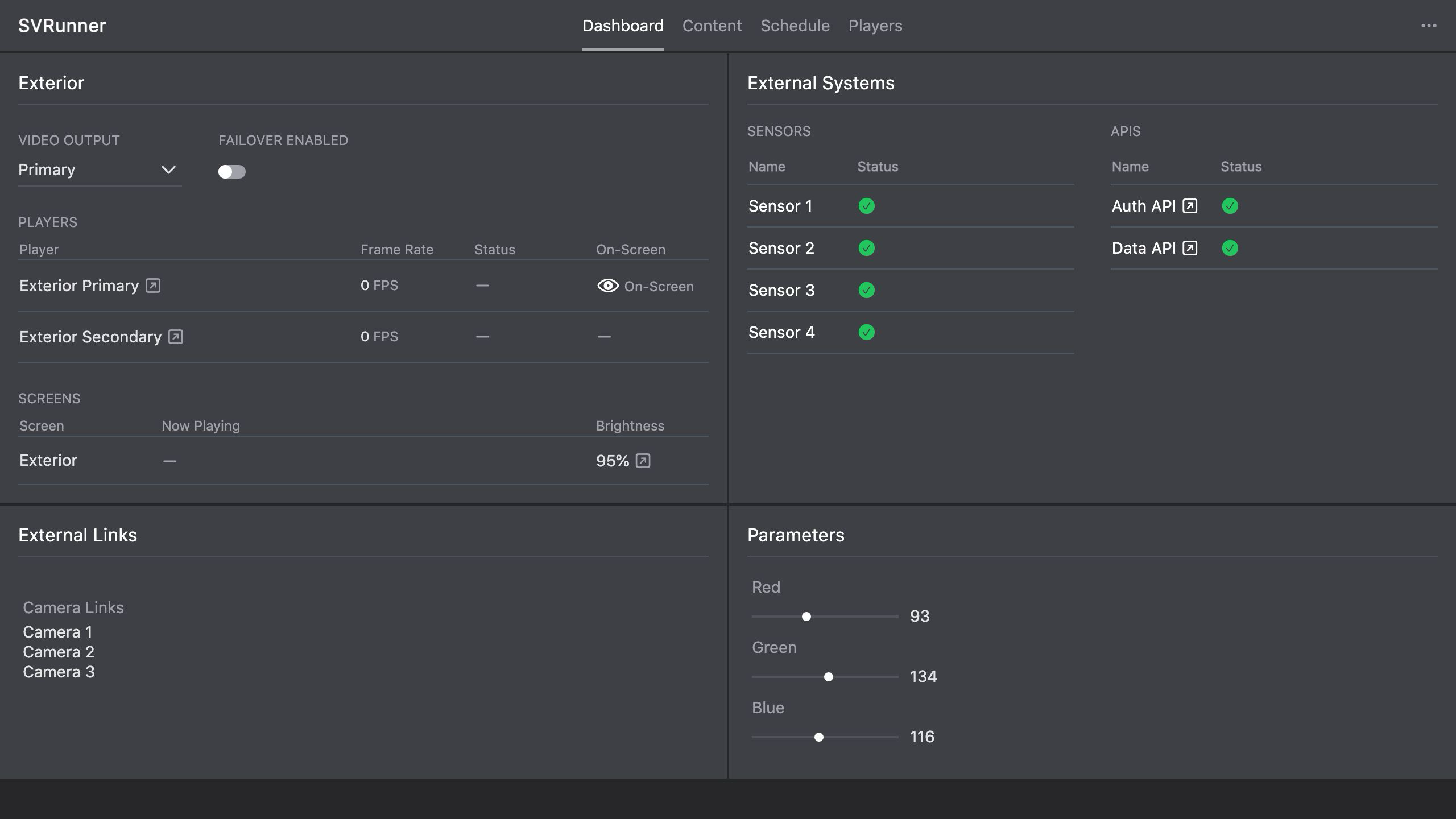
Systems are most visible in the dashboard's External Systems panel.
That panel groups systems by type and typically shows:
- system name
- status
- data fields from the system record
- restart controls when available and permitted
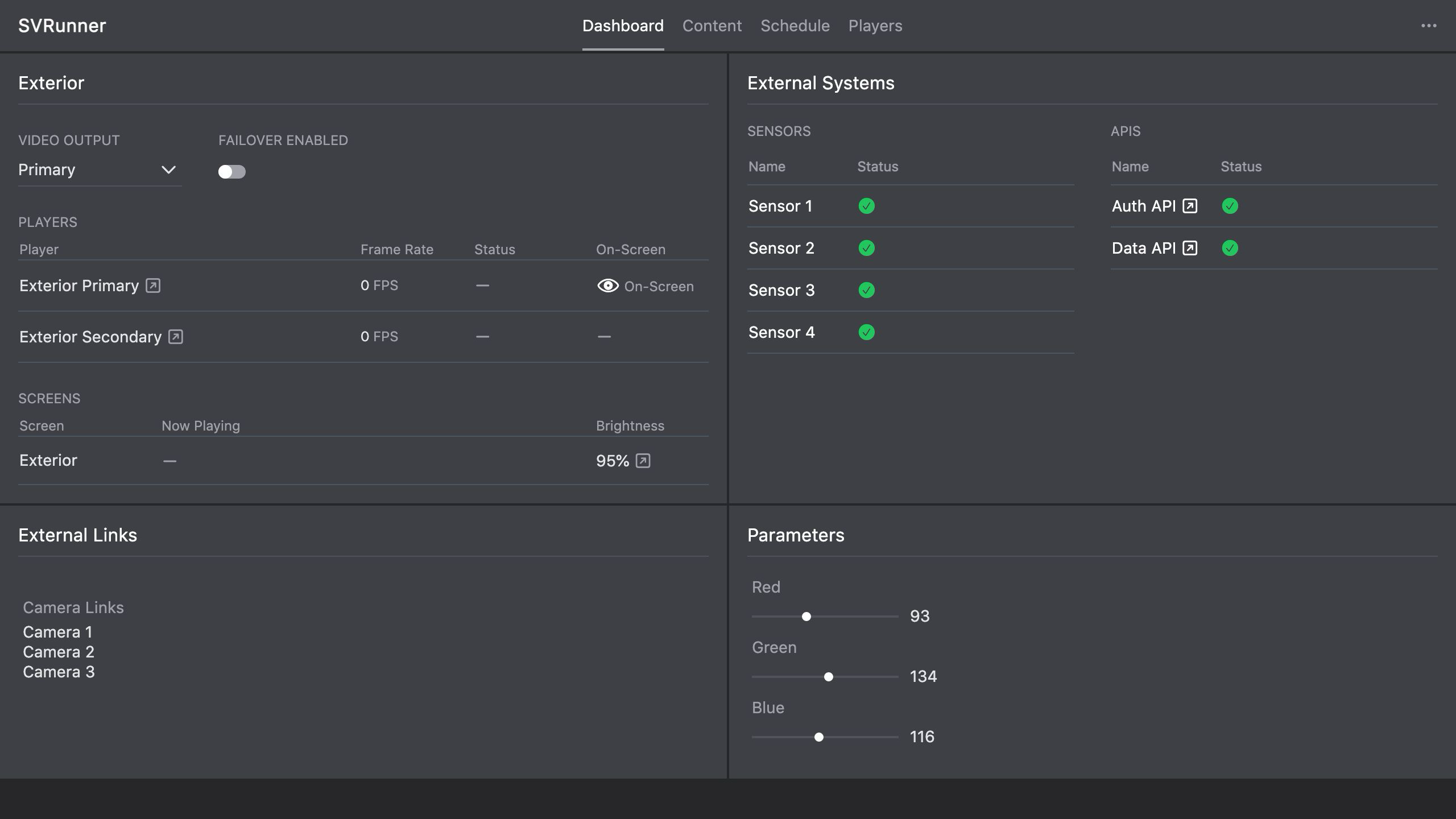 Stub screenshot: External Systems dashboard panel with at least one healthy system and one degraded or warning state. Save final image at
 packages/docs/screenshots/app-external-systems-panel.png.
Status Behavior
The current system panel treats status roughly like this:
OKmeans healthy- empty or missing status is treated as unhealthy
- any other status is treated as a warning or degraded state
That means operators should look for:
- green success indicators
- red failure indicators
- yellow warning text that may carry additional detail
Links And External Access
Systems can include a link.
Use this when operators or admins need to jump from SVRunner to the related external tool, dashboard, or service console.
Restart Behavior
Some systems include a restart command.
If present, the dashboard can expose a restart action for authorized users.
Treat restart controls carefully:
- they may affect live integrations
- they may be admin-only in practice
- they should be used only when the operational impact is understood
 Stub screenshot: system sidebar with name, type, status, link, and the status/restart command editors visible. Save final image at
 packages/docs/screenshots/app-system-sidebar-detailed.png.
Typical Admin Workflow
- Create or open the system record.
- Set the name, type, and link.
- Add any structured
datafields needed for dashboard display. - Define the get-status command if the system should report runtime health.
- Define the restart command only if controlled restart from SVRunner is appropriate.
- Save and validate the dashboard representation.
Typical Operator Workflow
- Check the External Systems panel during health review.
- Identify any systems that are offline or degraded.
- Follow the provided link if deeper inspection is needed.
- Restart only if authorized and operationally appropriate.
- Escalate when a system issue affects playback or automation.
Operational Guidance
Treat Systems As Dependencies
A degraded system may not stop playback immediately, but it can still affect:
- automation
- external data feeds
- monitoring confidence
- restart or failover workflows
Use Structured Data Intentionally
System data fields become part of the operator-facing dashboard context. Keep them useful and readable.
Do Not Hide Unknown States
If a system reports a warning or unclear status, document what that status means locally rather than forcing it into a binary healthy/unhealthy model.