Player Failover
This page explains how player failover is surfaced in SVRunner and what operators should expect when multiple playback paths exist.
What Failover Means In Practice
Failover is the mechanism that determines how the system responds when a target has more than one output path.
In the current UI, operators and admins can see or control:
- whether failover is enabled or disabled
- which video output is currently selected
- which players are currently associated with the target
- which player is on-screen
Failover Modes
The current target model exposes two modes:
AUTOMANUAL
In the dashboard, this is surfaced as a switch between:
- Failover Enabled
- Failover Disabled
Automatic Failover
In automatic mode, SVRunner is expected to use its configured output logic and checks to determine when switching should occur.
Operators should expect less manual intervention, but should still validate the actual on-screen result when a degraded condition occurs.
Manual Failover
In manual mode, operators or admins may need to choose the active output directly.
This is useful when the team wants explicit control over output selection during maintenance or incident response.
Active Output Selection
The dashboard target panel exposes a Video Output selector based on the target's available configured outputs.
Operationally, this means an authorized user can change the current active output path when needed.
Use this carefully, because changing the output can alter what is live on-screen immediately.
What Operators Should Validate
When failover is involved, verify:
- which output is currently selected
- which player is currently on-screen
- whether the players are healthy
- whether the target is in automatic or manual mode
- whether the visible display matches the expected path
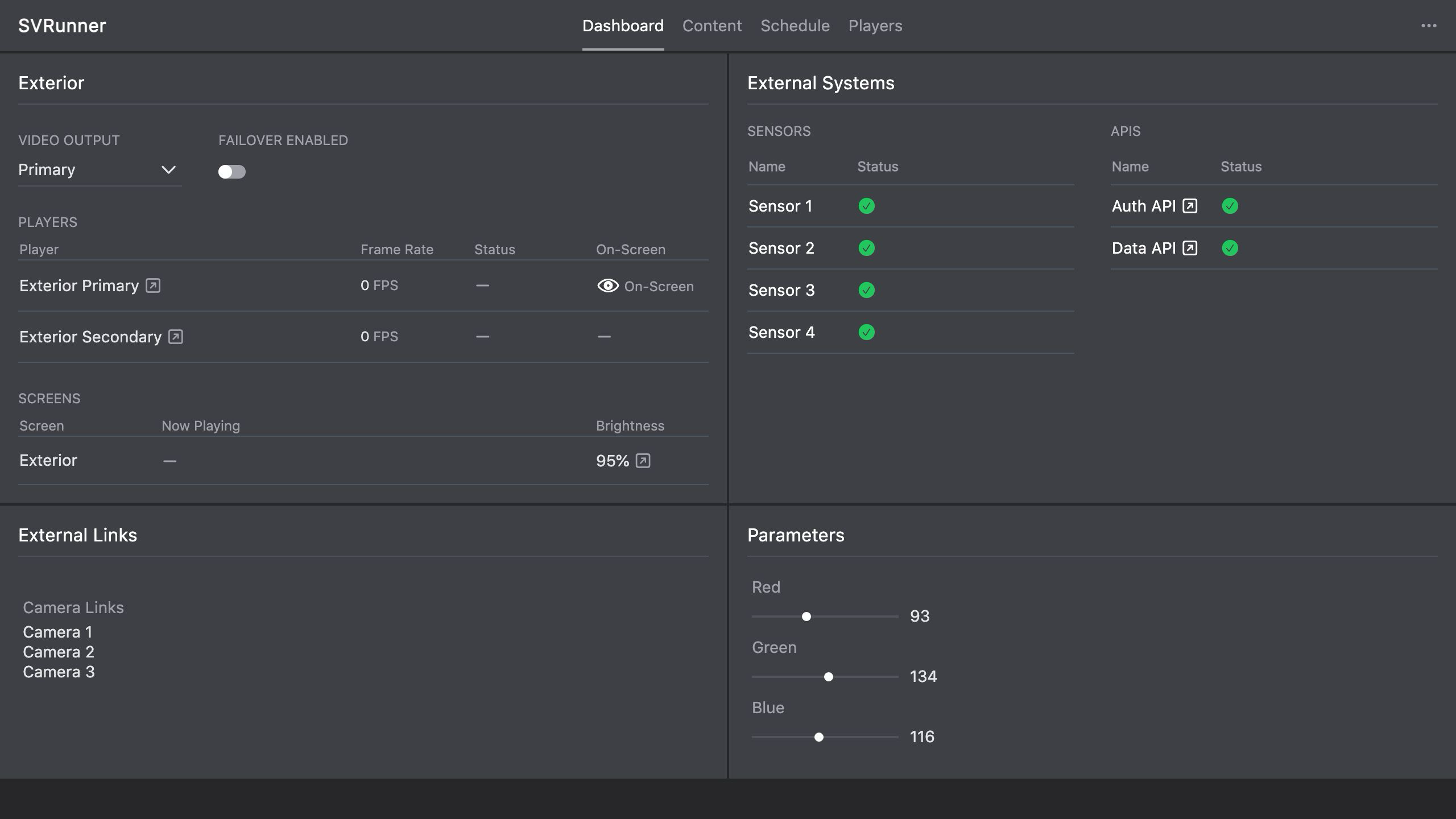 Stub screenshot: dashboard target panel with the Failover switch, Video Output selector, and Players section all visible. Save final image at
 packages/docs/screenshots/operations-player-failover-panel.png.
Incident Workflow
If a display path looks wrong:
- inspect the target panel on the dashboard
- confirm whether failover is enabled
- confirm the current video output
- inspect the listed players and their status
- verify the actual live display if possible
- escalate if switching logic or runtime health does not match expectation
Operational Guidance
- do not assume the healthy player is the currently active output path without checking
- validate on-screen behavior after any manual output change
- document local expectations for which outputs correspond to primary, secondary, and other roles